
openGym
Self-hosted gym tracker with no subscription or telemetry
Replaces Hevy, Strong, Jefit
Who it's for
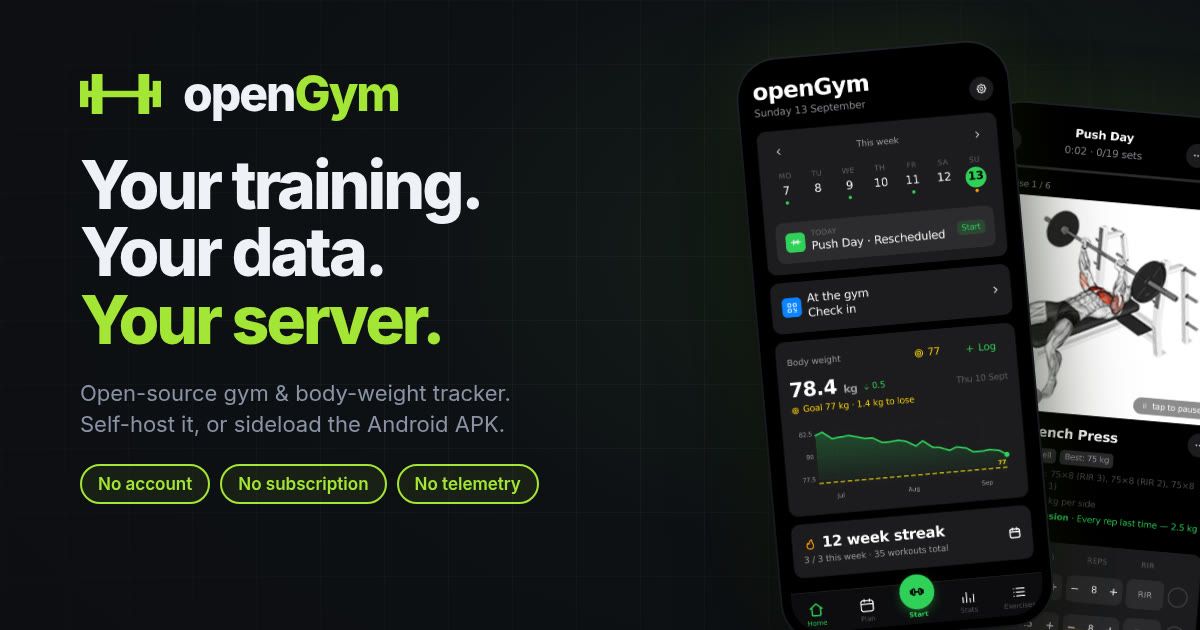
openGym covers the same guided workout flow, progression tracking, and exercise history that Hevy and Strong offer. Self-hosting on a home server or VPS eliminates the monthly subscription while keeping multi-device sync through passkey profiles. All 1,324 exercises include animated demos, body-part filters, and 1RM tracking.
If you train on a phone only and do not want to manage a server, the Android APK works offline but loses cross-device sync. Hevy or Strong remain simpler for phone-only use with no infrastructure.
Passkey profiles let multiple people use the same server with separate data, history, and settings. An admin dashboard covering per-user history, account disabling, invite-only signup, and an activity log makes it usable for a household or small group. Each profile syncs across all that user's devices.
For large gym communities or teams needing permission tiers beyond basic admin and user roles, openGym's admin tools are minimal. A purpose-built gym management platform is a better fit.
Body weight, training frequency, effort ratings, and session logs are health data. openGym stores all of it on your server with no telemetry. The AI coach, if used, routes requests through an opaque handle that admins cannot read, so actual query content is never visible to the instance owner.
If your primary concern is convenience over privacy and you are comfortable with Hevy or Strong's data practices, the self-hosting overhead adds complexity without a concrete benefit.
The optional MCP server exposes your training history to AI clients like Claude Desktop, letting you query workouts in natural language. It is read-only, runs locally, and is not in the Docker build. This is a working example of an MCP integration pattern for developers building similar tool-to-AI connections.
If you have no use for an AI client querying your workout data, skip the MCP server entirely. It adds nothing to the core tracker and is not installed by default.
The problem
Fitness tracking apps have a data ownership problem. Hevy, Strong, and JEFIT store your workout history on their servers, require accounts to sync across devices, and charge monthly or annual fees for progression analytics and history exports. When a startup pivots or shuts down, years of training logs can disappear. The privacy dimension compounds the cost problem. Most commercial fitness apps send usage telemetry, sometimes workout metadata, to their servers by default. For users tracking body weight, recovery, or health conditions, that data leaving their device is a real concern. A tracker that runs locally and keeps data in a folder you control removes both the subscription dependency and the data exposure.
How it works
Sessions open with last session's weights pre-filled and progression targets calculated. Four rules are available per routine: linear, Greyskull LP, double progression through a visible rep range, and adding time. Each target shows its source so you know why the number changed. Stalls trigger a deload automatically; missed reps never advance the load.
A front-and-back body diagram reads three ways. Balance shows where training volume went over a week, month, or all time and names muscles you skipped. Fatigue shows what is still recovering, weighted by how close each set was to failure. Strength shows how long since you trained each muscle group, with the exercises and estimated 1RM behind each one.
Bring your full training history from Hevy via CSV or Pro API key, Strong and FitNotes via CSV, or body weight from an Apple Health export. Exercise names not matching the 1,324-movement library become custom exercises automatically, so nothing in the file is dropped. Importing merges history without overwriting existing data.
An opt-in AI coach reads your logged history and proposes routine changes with evidence for each one. It runs on your server under your own provider account: Anthropic, OpenAI, Gemini, or any OpenAI-compatible endpoint including Ollama on a local network. Every proposed change requires your approval and can be undone.
Each profile signs in with Face ID, Touch ID, or a hardware key. Multiple users can share one instance, each with their own data and settings. A one-time code or QR code adds a new device without a password. Sessions last 90 days by default, and a sign-out-everywhere option ends all sessions at once.
A sideloadable APK runs the full tracker on-device with no server: data stays on the phone, rest countdown runs in a notification with the screen off, and an in-app update check downloads and verifies the next signed APK against its checksum. For iPhone users, the self-hosted version installs as a home-screen PWA app.
Features
- Guided workouts with four progression rules
- Muscle map with balance, fatigue, and strength views
- Import from Hevy, Strong, FitNotes, and Apple Health
- Optional AI coach running on your own API key
- Passkey login across multiple user profiles
- Standalone Android APK with no account required
How to install
Self-hosting deploys with Docker Compose; prebuilt images for amd64 and arm64 are available.
git clone https://github.com/DuarteSantos8/openGym
cd openGym
cp .env.example .env
docker compose pull
docker compose up -d
Recommended for this setup
Strengths
- Zero telemetry with no opt-out required: openGym ships with no analytics, no crash reporting, and no usage beacons. The README and product website both state this explicitly. There is no telemetry toggle to configure because there is nothing to turn off. Commercial alternatives like Hevy and Strong send usage data to their servers by default.
- Single docker compose up deploys the full app: Prebuilt Docker images for amd64 and arm64 are available. The self-host quick start is five commands: git clone, copy .env, pull images, and compose up. The first launch downloads exercise media (approximately 140 MB) once; subsequent starts are instant. No Kubernetes or manual dependency installation required.
- Full data portability via one-tap JSON export: One-tap JSON export produces a file containing your complete training history. The same file reimports, so your data is never locked to the instance. This applies to both the self-hosted version and the standalone Android APK. Switching kg to lb offers to convert every stored number.
- 1,503 GitHub stars in under three months: The repository launched in July 2026 and reached 1,503 stars with 365 forks by late September 2026. The last push was on September 28, 2026, showing ongoing active development rather than a burst-and-abandon pattern. The project has a Discord server and a GitLab mirror with CI that builds and signs every APK.
- MCP server for AI-assisted workout queries: An optional MCP server lets a client like Claude Desktop or Cursor read your workout history through natural language queries such as 'what did I bench last week?' It is read-only, spawned locally by the client, and not included in the Docker build, so users without an AI client have no additional surface area.
Trade-offs
- 82 open issues on a project two months old: The GitHub tracker shows 82 open issues as of late September 2026, on a project created in July 2026. For a project that gained attention quickly, many are likely feature requests and rough edges rather than blocking bugs. Active triage is ongoing, but new self-hosters should expect some issues to lack resolutions.
- Exercise media licensing is unresolved: Animated exercise demos download from a third-party dataset (ExerciseDB via hasaneyldrm/exercises-dataset). The README notes the images and animations fall under neither openGym's AGPL license nor the dataset's MIT metadata license, and their ownership is currently disputed. The README explicitly warns against reusing the media commercially or otherwise without clearing rights with the original rights holder.
- No managed cloud option: server required for sync: openGym has no hosted cloud tier. The standalone Android APK runs on-device with no sync. Users who want cross-device sync must run a server. For anyone unwilling to manage infrastructure, the APK covers solo phone-only use, but Hevy or Strong remain simpler for users who need sync without a home server.
- AGPL-3.0 restricts running openGym as a paid service: AGPL-3.0 lets you run openGym for yourself, your household, or your team at no cost, and you can modify the code. What it requires is that any modified version run as a network service for others must distribute its source changes. Selling openGym as a managed hosted service to paying customers is not permitted without releasing those modifications.
Tech stack
FAQ
Yes. openGym is AGPL-3.0 licensed and free to self-host for personal, household, or team use. There is no paid tier, no premium feature gate, and no subscription. The standalone Android APK is also free to download directly from the project website. The only cost is the server infrastructure you choose to run.
Yes, with the self-hosted version. Apple does not allow sideloading outside the App Store, so there is no iOS APK. Instead, run openGym on a server and install it as a home-screen PWA on your iPhone. Passkey login works with Face ID. iPhone users can also try the in-browser demo on the project website without setting up a server.
The self-hosted version syncs across all devices through passkey profiles. Log a workout on your phone, check progress on your laptop; both read the same server. The standalone Android APK does not sync because it stores data on the device rather than a server. Cross-device sync requires running the self-hosted version.
Yes. openGym imports Hevy history via CSV or a Hevy Pro API key, Strong and FitNotes exports via CSV (both Android and iOS FitNotes exports work), and body weight from an Apple Health export. Exercise names not matching the built-in library become custom exercises, so nothing in your file is dropped. Importing merges history without overwriting existing data.
AGPL-3.0 lets you run openGym on your own server for personal, household, or team use at no cost, and you can modify the code. The restriction relevant to self-hosters: if you run a modified version as a network service for others, you must release those modifications as source. Running it for yourself or your team internally is fully permitted. Offering openGym as a paid managed service to third parties requires releasing your changes.