
Hoppscotch
Open source Postman alternative for REST and GraphQL testing
Replaces Postman, Insomnia
Who it's for
Use Hoppscotch for fast regression calls across REST and GraphQL endpoints when validating feature changes before deployment.
Skip if your team already requires built-in SSO and deep governance templates from a hosted platform.
Use the WebSocket and MQTT clients to test live channels and event payload formats during integration work.
Skip if your stack only uses request-response HTTP and has no event streams.
Use Hoppscotch as a lightweight, browser-accessible toolkit for testing client and service APIs while moving between projects.
Skip if you need native desktop-only integrations that are outside browser-based workflows.
Use self-hosted workspaces to keep API collections, auth settings, and request history in one repository-sized workflow for your whole team.
Skip if your team already uses another enterprise API portal as the single source of truth for API contracts.
The problem
API teams using Postman or similar paid clients often pay for the full package, not just core request testing, once they add collection sharing, workspace history, and team sync. The result is recurring cost, hidden portability risk, and workflow lock-in. Hoppscotch targets teams that need fast request debugging and reusable API collections without giving up control of test data and history. It also helps solo developers who want an API client that can keep pace across REST and WebSocket-style tools in one place without adding new subscriptions.
How it works
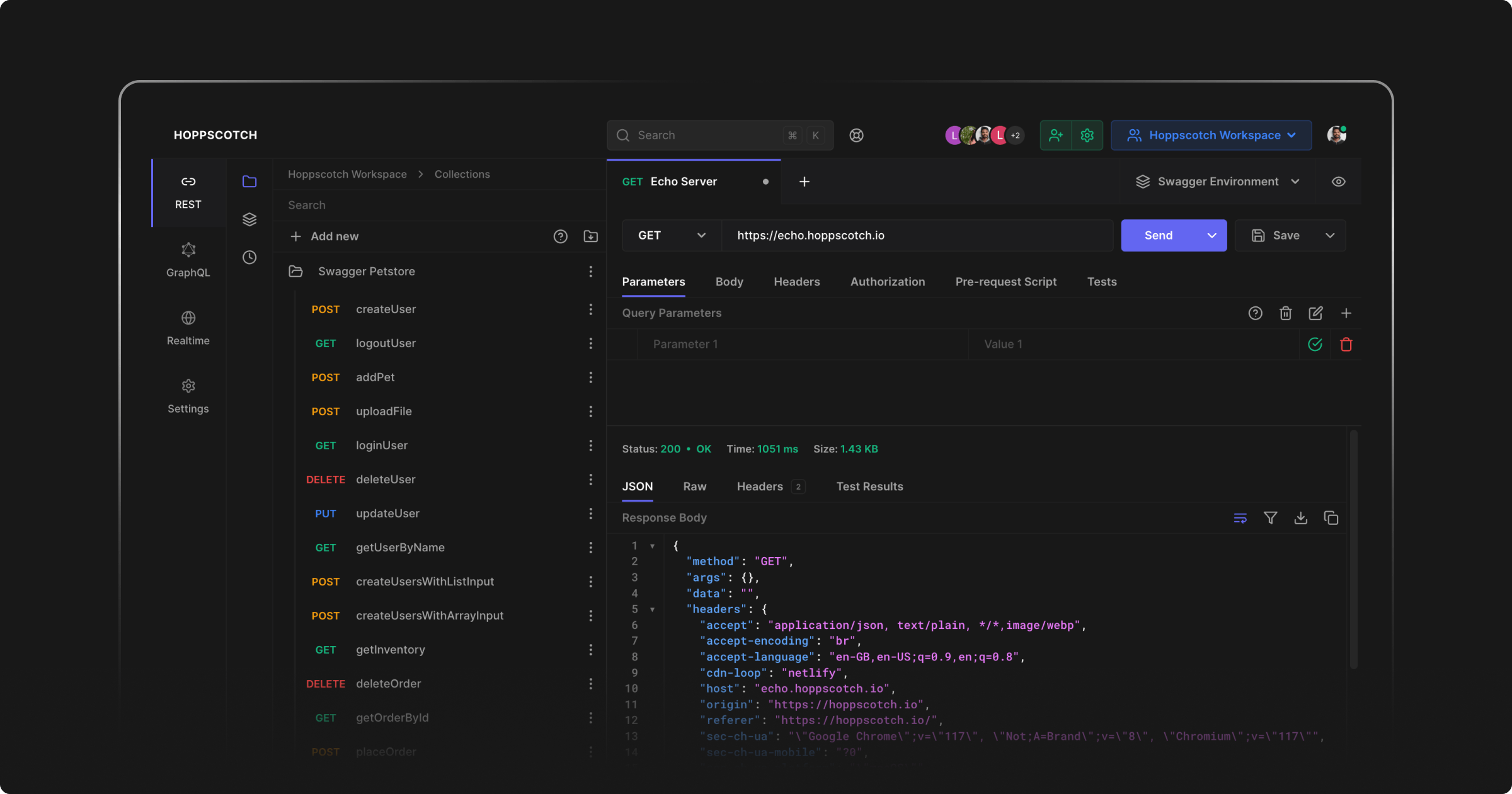
Supports HTTP/REST, GraphQL, WebSocket, MQTT, Socket.IO, and Server-Sent Events from one request composer. This avoids context switching when debugging mixed backends or event-driven APIs.
Stores collections, environments, and response history in self-hosted project state with role-aware workspace sharing. That gives teams the same starting point for collaboration, plus local control over team data.
Exports request examples as curl and language snippets, and imports files or GitHub gists. This helps teams keep API examples close to implementation workflows and documentation pipelines.
Offers desktop and browser entry points plus browser-based testing that works quickly on lightweight laptops. Teams can use the web app during incident work without installing a native client on every machine.
Uses a Docker deployment option with a preset compose profile and migration step, including backend services and a database option. That lets operations teams run it on managed cloud or private infrastructure.
Features
- Protocol coverage
- Workspace and history model
- Code and import flexibility
- Cross-device access
- Self-hosting path
How to install
# Clone the repository git clone https://github.com/hoppscotch/hoppscotch.git cd hoppscotch # Prepare local environment cp .env.example .env # Start Hoppscotch with Docker Compose docker compose --profile default up
Recommended for this setup
Strengths
- Open source with MIT terms: The core web and desktop tools are MIT, so teams can run the code in their own stack, review behavior, and adjust deployment if needed. This lowers operational risk when compliance requires vendor control.
- Protocol-first API testing: Few API clients bundle REST, GraphQL, WebSocket, and event-stream tools together with a single interface. Hoppscotch works where API stacks mix sync and real-time traffic, reducing tool fatigue.
- Browser-first speed: Fast startup and a lightweight interface helps engineers run ad-hoc tests during incidents. You get immediate request execution and response inspection without waiting on heavyweight startup flows.
Trade-offs
- Feature tradeoff in enterprise controls: Audit logs, advanced access controls, and some governance controls are in the enterprise self-hosted path. If your team needs strict role policies and advanced compliance reporting, those capabilities may require paid extensions.
- Operational dependency for full stack: A production self-hosted setup is easiest with Docker, Postgres, and basic ops routines for upgrades. Teams wanting zero-maintenance SaaS behavior need to account for patching and service uptime.
- Team management maturity: Basic sharing is available, but organizations needing enterprise-grade identity federation may need extra provisioning work. In these cases, dedicated enterprise support can reduce setup friction.
Tech stack
FAQ
Yes. Use the official Docker compose profiles from the repository. The default profile starts the all-in-one service plus database and migration handling, while the default-no-db profile supports external database setups.
Postman has a broad ecosystem, but it can route your work through its own collaboration and account flows. Hoppscotch gives you self-hosted ownership for collections and history while covering the same core testing protocols in most workflows.
Yes. Hoppscotch includes WebSocket, MQTT, Socket.IO, and Server-Sent Events support in the same request panel so you can validate both sync and streaming APIs without opening a second tool.
Postman remains the most common paid replacement for teams moving from familiar workspace workflows, while Insomnia offers a different desktop-first developer experience. If you want browser-first testing with strict self-hosted control, Hoppscotch is the clearer fit for many teams.