
Gstack
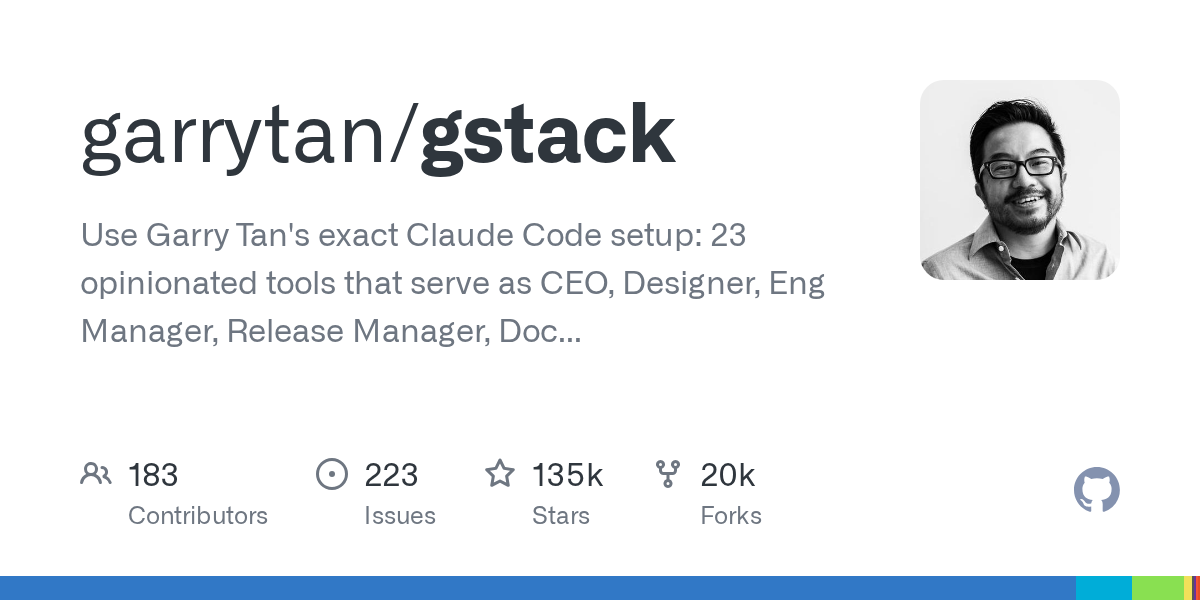
Turn Claude Code into a virtual engineering team with 23 skills
Replaces —
Who it's for
Gstack was built by a founder who shipped 3 production services and 40+ features in 60 days while running Y Combinator full-time. The structured roles compensate for the context-switching cost of being both the product owner and the engineer. Commands like /office-hours, /plan-ceo-review, and /ship encode the disciplines a solo builder skips under time pressure.
Skip if your team already has dedicated code reviewers, QA engineers, and a security officer. The value is filling roles that are absent; on a fully staffed engineering team it adds process on top of existing process.
Team mode lets a staff engineer commit gstack to the repo so every contributor's Claude Code session follows the same review methodology. The /review, /qa, and /cso commands run the same checks regardless of which engineer triggers them, making AI-assisted review auditable and consistent.
Skip if your organization's AI tool policy does not allow committing third-party skill files to shared repos, or if external tools already cover OWASP and STRIDE auditing.
A blank Claude Code session gives no guidance on how to use AI across the full development lifecycle. Gstack's slash commands provide a starting framework: /office-hours before building, /review before merging, /qa before deploying. The quick-start sequence in the README walks a new user through the full loop in about five steps.
Skip if you already have a well-established AI-assisted workflow. Gstack adds the most value where no structured methodology currently exists.
For teams using OpenClaw, gstack provides ACP-compatible skills for dispatching Claude Code sessions (security audit, build feature, plan API redesign) and four native conversational skills via ClawHub. The dispatch routing table in docs/OPENCLAW.md maps natural-language requests like 'run a security audit on this repo' to the right skill.
Skip if you are not using OpenClaw. The ACP and ClawHub integration has no effect in a standard single-agent Claude Code workflow.
The problem
Building production software solo or with a small team means juggling roles that pull in different directions. A thoughtful code reviewer thinks differently than a product lead who challenges scope; a security auditor reads a codebase differently than a QA engineer exercising the UI in a real browser. When one person handles all of these, the roles with the most friction get skipped first. Architecture gets reviewed when there is time; security audits get deferred; QA stops at 'it works on my machine.' Claude Code and other AI coding assistants give you raw capability, but a blank prompt does not enforce the disciplines that catch the worst problems before a PR ships. You get out of an AI coding session roughly what you put into it. If you do not prompt for adversarial review, you do not get it. If you do not ask for an OWASP audit, security assumptions go unchallenged. And each developer on a team prompts differently, which means AI-assisted review is inconsistent by default.
How it works
Each command encodes the methodology of a specific engineering role. /office-hours interrogates a product idea with six forcing questions before a line is written. /review runs an adversarial code review that auto-fixes safe issues and escalates judgment calls. /cso performs an OWASP and STRIDE security audit. /qa drives a real browser against a staging URL. /ship prepares the PR. Every command is a standalone Markdown skill file you can read, modify, or replace.
Running `./setup --team` from inside any repo commits a lightweight gstack configuration, so every contributor's Claude Code session starts with the same skill set. Upgrades run automatically, throttled to once per hour, with no manual intervention. Teams can set the install to required mode, which blocks Claude Code without gstack, or optional mode, which nudges instead of blocks. No vendored files land in the repo.
Gstack installs for Claude Code by default. Running `./setup --host auto` installs for every detected AI coding agent: Codex CLI, OpenCode, Cursor, Factory Droid, Kiro, and GitHub Copilot CLI, all at experimental tier. A static 2KB digest covers any rules-reading agent such as Zed, Amp, or Jules. Each host gets the same slash commands adapted to its invocation model.
For teams using OpenClaw for multi-agent orchestration, gstack skills work in every spawned Claude Code session via ACP. Four additional methodology skills run directly in an OpenClaw agent via ClawHub, with no Claude Code session needed: office-hours, ceo-review, investigate, and retro. A dispatch table in docs/OPENCLAW.md maps natural-language requests to the matching skill.
The /cso command runs an OWASP and STRIDE security audit against the codebase. It requires a Bun release with four specific build flags plus a native toolchain: a static-capable C compiler on Linux, Xcode command-line tools on macOS, or Visual Studio 2022 Build Tools on Windows. When prerequisites are absent, setup installs everything else, removes stale helpers, and /cso reports 'not assessed' with the specific prerequisite named.
Features
- 23 role-specialized slash commands
- Team mode for shared repos
- Multi-host install for six AI coding agents
- OpenClaw integration via ACP
- Security assessment via /cso
How to install
Self-hosting installs gstack into Claude Code's skills directory with a git clone and a setup script.
git clone --single-branch --depth 1 https://github.com/garrytan/gstack.git ~/.claude/skills/gstack && cd ~/.claude/skills/gstack && ./setupRecommended for this setup
Strengths
- MIT license with no server or subscription dependencies: Gstack is MIT licensed and installs entirely on your local machine. There are no subscriptions, no cloud sync, and no external service dependencies beyond Claude Code itself. The skill files are plain Markdown, readable and forkable without any build step. You own the full tooling stack.
- 135,000+ stars, created and actively developed in 2026: With over 135,000 GitHub stars and daily commits as of October 2026, gstack has one of the fastest growth trajectories of any developer tooling repo created that year. The project launched in March 2026 and crossed 100K stars within months. Active development means slash command methodology is updated as Claude Code itself evolves.
- Methodology encoded in files, not just prompts: Each slash command is a Markdown skill file with a defined scope, forcing questions, and review methodology. Unlike ad-hoc prompting, the same /review or /cso command delivers the same check every time, regardless of which developer runs it. Any skill file can be inspected, overridden, or forked.
- One-command team standardization: Team mode bootstraps a repo with a single git command. From that point, every contributor's Claude Code session automatically picks up the same skill set, with silent hourly upgrade checks and no manual sync. A staff engineer can standardize AI-assisted review across a codebase without maintaining a custom prompt library.
Trade-offs
- Requires Claude Code as the underlying runtime: Gstack is not a standalone tool. It only works with Claude Code installed and authenticated. The underlying compute cost is whatever Claude subscription you hold, and gstack adds no free AI tier of its own. Developers without a Claude subscription cannot run the core skills.
- /cso requires a native toolchain that setup does not provision: The security assessment command requires a Bun release with four specific build flags plus a native C/C++ toolchain. Setup installs everything else if these are absent but cannot install the toolchain itself: it removes stale CSO helpers and /cso reports 'not assessed' with the prerequisite listed. Teams on locked-down CI machines may find this skill unavailable.
- Multi-agent support beyond Claude Code is experimental: Support for Codex CLI, OpenCode, Cursor, Factory Droid, Kiro, and GitHub Copilot CLI is labeled experimental: these agents pass conformance tests but have not completed a certified workflow run. Safety skills like /careful and /freeze are enforced by hooks in Claude Code but are advisory only on other agents. Behaviors may differ from the Claude Code experience.
Tech stack
FAQ
Gstack requires Claude Code. It is a methodology layer that runs inside Claude Code, adding 23 structured slash commands on top of whatever session you already have. It does not replace Claude Code or provide its own AI compute. You still need a Claude subscription for the underlying calls.
Yes. Gstack is MIT licensed, which means you can use it freely for personal projects, commercial products, and internal tools without any licensing restrictions. The only ongoing cost is your Claude subscription for the AI compute that the skills invoke.
The /review command runs a structured adversarial review with defined steps: it auto-fixes issues it can resolve safely and escalates judgment calls to you. A manual prompt delivers whatever methodology you think to ask for in the moment. /review delivers the same check every time, regardless of how you phrase the request, and produces consistent results across every developer who runs it.
Both options work. Individual developers install gstack on their own machine. Teams can also use team mode: running `./setup --team` from inside a repo commits gstack's configuration to the project so every contributor's Claude Code session picks it up automatically. Team mode supports required mode, which blocks Claude Code without gstack, or optional mode, which nudges instead of blocks.
Gstack has experimental support for Codex CLI, OpenCode, Cursor, Factory Droid, Kiro, and GitHub Copilot CLI. These agents pass conformance tests but do not yet have a certified workflow run. A static 2KB digest provides instruction-only support for any rules-reading agent such as Zed, Amp, or Jules. OpenClaw is supported via ACP for multi-agent workflows.