
Fluent-Qt
Fluent UI component library for Qt Widgets in C++17 and Python
Replaces Qfluentwidgets
Who it's for
Teams building Windows desktop applications in C++ and Qt Widgets who want Fluent/WinUI visual consistency with Windows 11 and Microsoft's own apps. Fluent-Qt provides the control set for that look without switching to WinUI, which would require dropping Qt and targeting Windows only.
Your application targets a custom visual style, or runs primarily on Linux and macOS where users may find Fluent Design visually unfamiliar. Also skip if your project uses Qt Quick/QML rather than Qt Widgets.
Python developers building PySide6 desktop applications who want Fluent-style controls without writing C++ extensions. The FluentQt PyPI package exposes the full native control set through Python bindings, installable in one pip command.
Your PySide6 application targets Qt Quick/QML rather than Qt Widgets. Fluent-Qt operates at the Qt Widgets layer only and is not compatible with the QML rendering pipeline.
Teams shipping the same Qt Widgets application on Windows, macOS, and Linux who want a unified visual style rather than adapting to each platform's native widget appearance. Fluent-Qt's cross-platform build means the same control set and API render on all three desktop targets.
You need your application to feel native on macOS or Linux, where Fluent Design departs from platform conventions. Users on those platforms may find WinUI-inspired controls visually out of place compared to native macOS or GNOME/KDE styling.
The problem
Qt Widgets is the dominant C++ UI framework for native cross-platform desktop applications, but its default visual style has not kept pace with modern desktop design conventions. Windows users in particular expect Fluent Design: the visual language Microsoft uses across Windows 11, Office, and its own apps. Developers who need that look in a Qt Widgets app face three options: pay for a commercial component library, spend months building custom controls from scratch, or accept a visually dated application. Commercial Qt component libraries from vendors such as Telerik (Progress Software) and DevExpress can cost several hundred to over a thousand dollars per developer per year. That pricing locks many independent developers, small studios, and open source projects out of modern-looking native Qt UIs entirely. Fluent-Qt removes that barrier: it provides core Fluent Design controls as a free, MIT-licensed library that integrates in minutes using CMake.
How it works
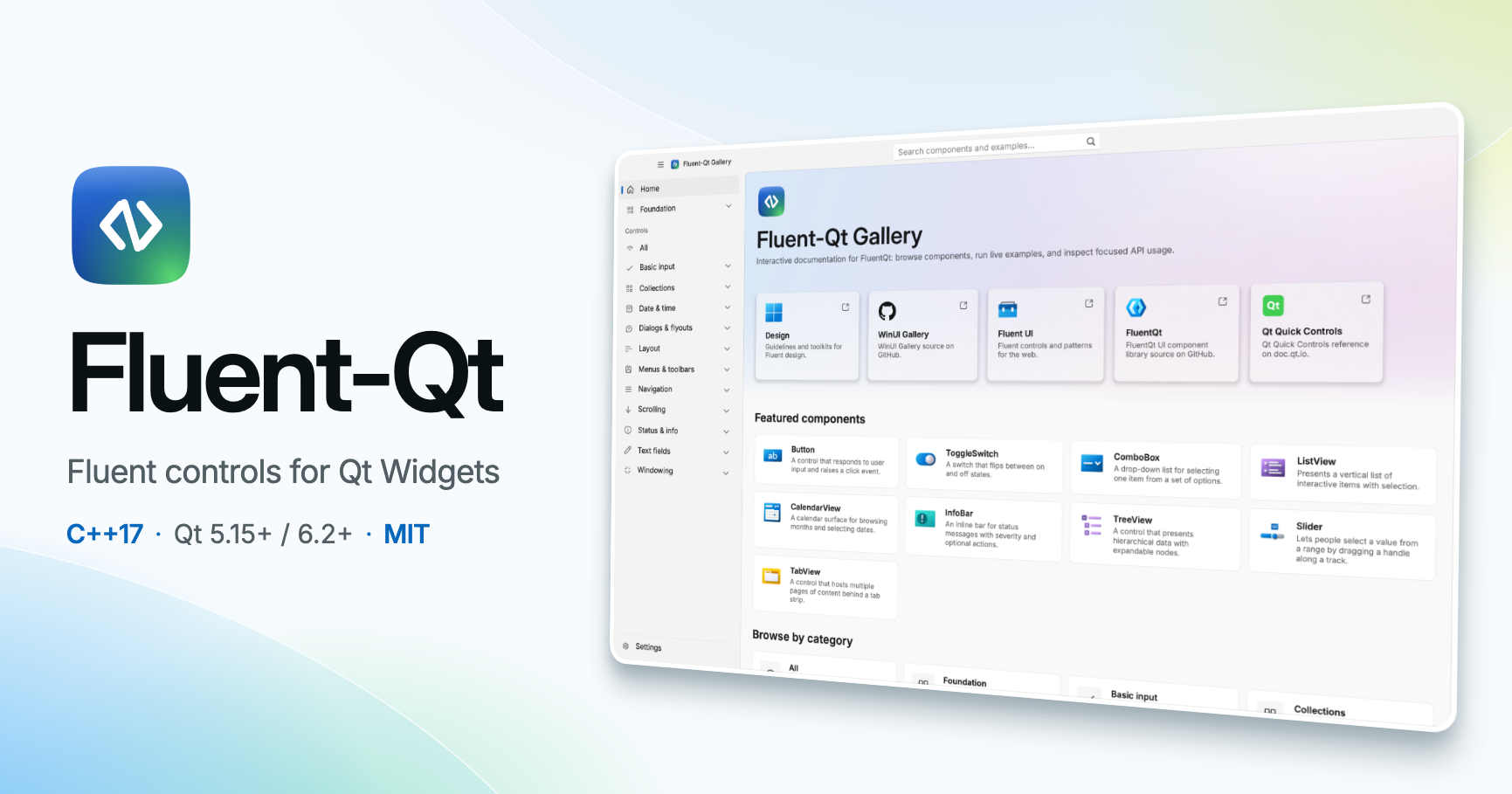
The library covers the major Fluent Design control categories: basic inputs (Button, ComboBox, ToggleSwitch, CheckBox), collections (ListView, GridView, TreeView), navigation (NavigationView, TabView, Breadcrumb), dialogs and flyouts (ContentDialog, Flyout, TeachingTip), date and time pickers, and windowing (Window, TitleBar). Each control has its own C++ API, states, and layout behavior.
Application code uses one call site for both Qt 5.15+ and Qt 6.2+. No conditional compilation blocks or separate codepaths are needed when supporting both major Qt versions in the same codebase. The library target depends only on Qt Widgets, so it adds no unrelated runtime dependencies.
Adding Fluent-Qt to an existing CMake project requires a FetchContent_Declare block pointing at the GitHub repository, FetchContent_MakeAvailable, and a target_link_libraries call on FluentQt::FluentQt. No pre-installed system packages, no separate download step, and no build system migration are needed.
Python developers can use the same controls from PySide6 with a single pip install FluentQt command. The bindings expose Fluent-Qt's native C++ widgets through Shiboken6 and require Python 3.10+ for source builds. A separate FluentQt-Gallery package on PyPI provides an interactive Python gallery for evaluating controls before integration.
Fluent-Qt ships Light, Dark, and High Contrast themes, matching Windows 11's accessibility mode support. An application-wide motion policy (Full, Reduced, or Disabled) controls animation behavior across all controls, letting developers comply with OS-level reduced-motion accessibility settings.
The library compiles to WebAssembly, and the project hosts a live C++ Web Gallery at its project website that runs in any modern browser without a local Qt installation. Teams can browse controls, switch themes, and inspect C++ source examples before committing to a local build.
Features
- Fluent-style controls across input, navigation, and data categories
- Single unified API for Qt 5.15+ and Qt 6.2+
- CMake FetchContent integration in a few lines
- PySide6 Python bindings installable via PyPI
- Light, Dark, and High Contrast themes with application-wide motion policy
- Live WebAssembly gallery for browser-based evaluation
How to install
Install Fluent-Qt into an existing CMake project by cloning from GitHub, or add the Python bindings via pip.
git clone --depth 1 --branch v1.8.3 https://github.com/calvinhxx/Fluent-Qt.git
pip install FluentQt
Recommended for this setup
Strengths
- MIT license with no per-developer fees: Fluent-Qt's source is MIT licensed, so it can be used in commercial applications, modified, and distributed without paying a license fee. Commercial Qt UI component libraries typically charge per developer per year; Fluent-Qt removes that cost for teams willing to build from source.
- Drops into existing Qt Widgets projects without architectural changes: The library uses Qt's standard signals, slots, layouts, and event loop. No new framework layer sits between Fluent-Qt controls and the rest of a Qt Widgets application. Migrating a single widget or dialog to Fluent-style controls is possible without rewriting surrounding code.
- Runs on Windows, macOS, Linux, and the browser via WebAssembly: Unlike WinUI, which is Windows-only, Fluent-Qt brings the same design language to macOS and Linux builds. The same library and API work across all four targets, which matters for desktop apps shipping cross-platform under a single Qt codebase.
- AI-assisted GUI development skill included: The project ships a build-fluentqt-gui skill for Claude Code, Codex, and Cursor that can scaffold a desktop app, add a GUI to an existing project, or fix an interface. A Live Scene preview workflow shows saved changes without a full rebuild cycle.
Trade-offs
- New project with a small community: Fluent-Qt was created in May 2026 and had 107 stars at the time of indexing. The project is under active development (last push September 2026), but it lacks the long track record of established Qt UI libraries. Teams requiring multi-year vendor stability or dedicated support contracts should weigh this.
- Requires Qt 5.15+ or 6.2+ and CMake 3.16+ as prerequisites: Fluent-Qt is a C++ library, not a drop-in binary. Using it requires a working Qt Widgets installation (Qt 5.15+ or Qt 6.2+) and a CMake 3.16+ build environment. Teams without an existing Qt toolchain face a non-trivial setup investment. Python users additionally need PySide6 6.2.4+ and Python 3.10+ for source builds.
Tech stack
FAQ
Yes. Fluent-Qt supports Qt 5.15+ and Qt 6.2+ through a single unified API. Application code does not need separate call sites for each major Qt version. The library links against Qt Widgets, which is available on both Qt 5 and Qt 6.
Yes. Optional PySide6 bindings are available as pip install FluentQt on PyPI. The Python bindings expose the same native C++ controls through Shiboken6 and require Python 3.10+ for source builds and PySide6 6.2.4+. A separate FluentQt-Gallery package provides an interactive Python gallery for evaluating controls.
Yes. Fluent-Qt's source code is released under the MIT License, which permits use in commercial applications, modification, and redistribution without fee. Bundled assets and packaged runtime dependencies retain their own upstream terms, documented in THIRD_PARTY_NOTICES.md in the repository.
Yes. The library targets Windows, macOS, Linux, and WebAssembly. Unlike Microsoft's WinUI, which is Windows-only, Fluent-Qt's Qt build means the same controls compile and run on macOS and Linux with the same API. Visual rendering approximates the Fluent Design look on all platforms rather than matching each OS's native appearance.
The project provides a live WebAssembly gallery at the project website that runs in any modern browser without a Qt installation. You can browse controls, switch Light, Dark, and High Contrast themes, and inspect the corresponding C++ source code. Pre-built desktop Gallery packages for Windows, macOS, and Linux are also available from GitHub Releases for offline evaluation.