
Cloudreve
Self-hosted file manager with ten storage backends and WebDAV
Replaces Google Drive, Dropbox, Microsoft Onedrive, Box, Google One
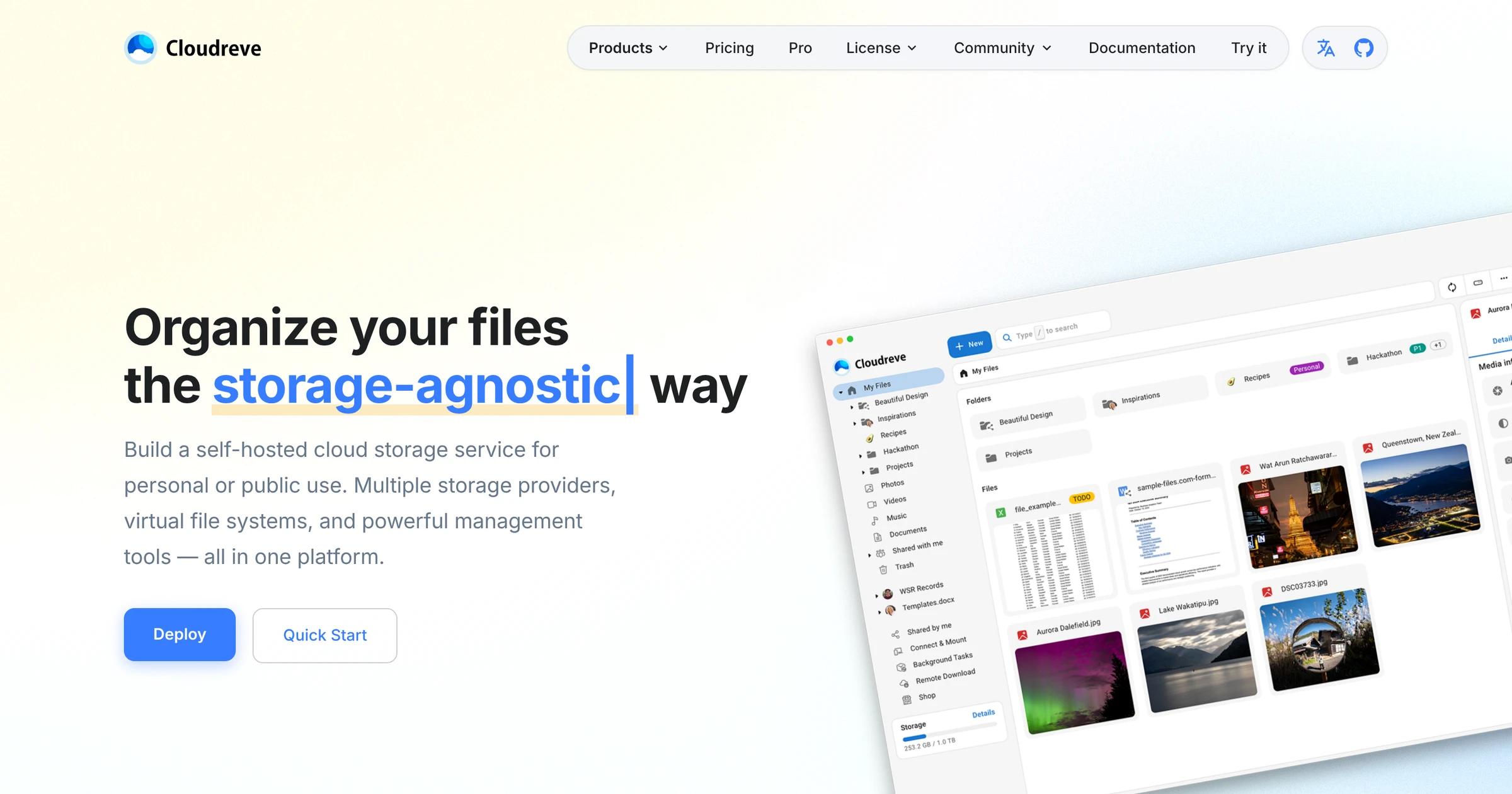
Who it's for
IT teams and small businesses that want a shared file drive on their own servers get a fully-featured interface with user groups, permissions, and sharing links. Files stay on the team's own hardware with no recurring SaaS costs and no data leaving the organization's infrastructure.
Your team is primarily on macOS or Linux and needs automatic desktop folder sync; the first-party desktop client runs on Windows only.
Engineers who already have S3 storage, an OneDrive account, and local NAS space can expose all of them through a single Cloudreve interface and access control system. The WebDAV layer means existing tooling that speaks WebDAV works without changes to those integrations.
Your storage is consolidated in one provider and you do not need a web-based file browser or unified access control over it.
Users who cannot place files on US-based cloud services for legal or compliance reasons can run Cloudreve on a VPS in their required jurisdiction and configure any compliant object storage as the backend. The direct transfer model means file bytes never pass through a foreign intermediary server.
Compliance requirements mandate a certified vendor with formal attestations; a self-hosted open source deployment alone does not satisfy those requirements.
Technical users who want browser-based file access, media preview, and sharing links without paying per month get a close functional equivalent to Google Drive on their own hardware. Online document and ePub preview reduces the need to download files for routine review.
You need real-time collaborative document editing comparable to Google Docs; Cloudreve's online editing is single-user, not multi-user collaborative.
The problem
Paid cloud storage services charge per seat or per gigabyte, store files on servers you do not control, and provide no clean exit that preserves folder structure. Teams with data residency requirements cannot place files on a third-party cloud; teams with large storage needs face subscription costs that grow linearly with data volume. The usual workarounds fall short. FTP servers lack access control and sharing features. NAS file managers are limited to local networks. Other self-hosted options require separate databases and significant configuration before they reach feature parity with commercial drives.
How it works
Cloudreve connects to local disk, S3-compatible APIs (AWS S3, Minio, Backblaze B2), OneDrive, Aliyun OSS, Tencent COS, Huawei OBS, Qiniu Kodo, Kingsoft KS3, Upyun, and remote nodes. Files can span multiple backends simultaneously, and users see a unified file browser regardless of which backend holds each file.
Upload and download traffic flows directly between the browser and the storage provider, bypassing the Cloudreve server. For large files, this means a video upload goes straight to S3 or OneDrive without passing through your Cloudreve host, reducing server load and bandwidth costs at any storage volume.
Every storage provider Cloudreve manages is accessible over WebDAV, so desktop file manager clients on Windows, macOS, and Linux can mount the drive natively. Mobile clients that support WebDAV can also connect without an additional dedicated app.
Videos, images, audio, ePub, Markdown, diagrams, and Office-format documents open directly in the browser. Text files, Markdown, and images can be edited in-browser. This covers the most common file review and editing workflows without requiring a local download or desktop application.
Cloudreve integrates with Aria2 and qBittorrent servers to download files in the background from HTTP links or torrents. Multiple download nodes can share the load across servers. Downloaded files land directly in the user's configured storage backend without passing through the browser.
User accounts are organized into groups with configurable permissions. Files and folders can be shared via links with optional expiration dates, covering both team file sharing and controlled external access without exposing the full directory to recipients.
Features
- Ten Storage Backends
- Direct Client-to-Storage Transfers
- WebDAV Access Across All Backends
- Online Preview and Editing
- Background Downloads via Aria2 and qBittorrent
- Multi-User Groups and Share Links
How to install
Deploy Cloudreve using the official Docker image from Docker Hub.
docker run -d -p 5212:5212 cloudreve/cloudreve:latestRecommended for this setup
Strengths
- All-in-One Binary with 34 MB Release Size: The README describes Cloudreve as 'all-in-one packaging, with all features out of the box.' It ships as a single 34 MB binary or Docker container, reducing initial setup compared to file management stacks that require configuring a separate database, cache, and application server before the interface is usable.
- GPL-3.0 License with 28,900+ GitHub Stars: Cloudreve is GPL-3.0 licensed, so you can run it on any infrastructure at no cost. The project has accumulated over 28,900 stars and 3,900 forks on GitHub, indicating a mature community with an active contributor base and a broad base of production deployments.
- Unified Interface Over Multiple Storage Backends: Unlike subscribing to Google Drive, Dropbox, and OneDrive separately, Cloudreve lets you configure multiple backends under one interface and one access control system. Users see a single file browser; storage spans providers without users needing to know which backend holds which file.
- Direct Transfer Cuts Server Bandwidth: The client-to-storage transfer model means the Cloudreve server does not proxy file bytes in transit. Teams transferring terabytes of data do not pay for that bandwidth twice; the server handles only metadata and authentication, not the content itself.
Trade-offs
- Primarily Chinese Documentation and Community: Cloudreve originated in China, and its primary documentation, GitHub discussions, and community forums are largely in Chinese. English documentation exists but is less comprehensive. Teams that do not read Chinese may find troubleshooting harder than with alternatives whose communities are primarily English-speaking.
- Desktop Sync Client is Windows Only: Cloudreve ships a first-party Windows desktop sync client, available on the Microsoft Store and at github.com/cloudreve/desktop, that provides real-time bidirectional sync and Windows Explorer integration. macOS and Linux users access files via WebDAV mount points, which require manual configuration, or through the web interface. Teams where most members are on non-Windows machines will not get the automatic folder sync experience the Windows client provides.
- 133 Open GitHub Issues: The project carries 133 open GitHub issues, excluding pull requests. For a file management system handling production data, reviewing the open issues before deployment is advisable to understand the current bug status and known limitations before committing to a production rollout.
Tech stack
FAQ
Yes. Each storage policy in Cloudreve can point to a different backend: local disk, S3, OneDrive, Aliyun OSS, and others. Users or groups can be assigned to different storage policies, so some users store files in an S3 bucket while others use local disk, all through the same interface and access control system.
The recommended path is Docker, using the official cloudreve/cloudreve image from Docker Hub. For non-Docker deployments, Cloudreve also ships as a pre-built binary in the GitHub Releases at github.com/cloudreve/cloudreve/releases. The official documentation at docs.cloudreve.org covers database setup, reverse proxy configuration, and production deployment options.
Yes, for Windows. Cloudreve Desktop is a first-party Windows sync client built with Tauri, available on the Microsoft Store and at github.com/cloudreve/desktop. It provides real-time bidirectional sync, on-demand file hydration (files download only when opened), and full Windows Explorer integration including context menus and file status indicators. macOS and Linux users access Cloudreve via WebDAV, which all major desktop file managers support as a native mount point.
You can run Cloudreve on your own servers, use it for internal commercial team storage, and modify the source code. The restriction applies to distribution: if you offer a modified version of Cloudreve as a hosted service to other users, you must release the modified source under GPL-3.0. Running it privately for your own team imposes no such requirement.
Yes. Cloudreve connects to an existing Aria2 or qBittorrent instance and can queue downloads from HTTP links or torrents. Downloaded files land in the user's configured storage backend directly. Multiple download nodes can be added to share download load across servers, as documented in the README.