Aplica
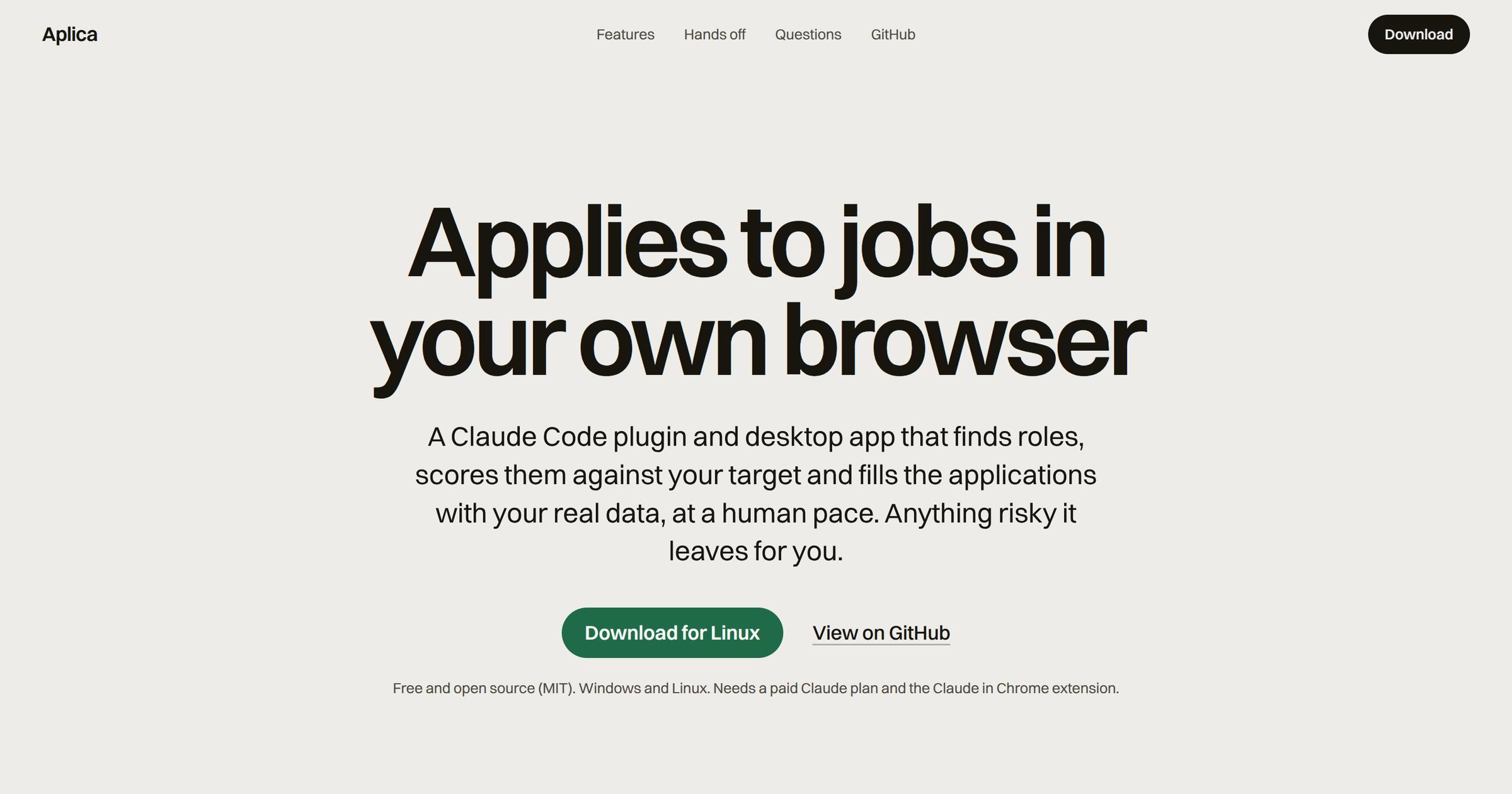
Finds jobs, scores them, applies in your browser with your real data.
Replaces Jobcopilot, Lazyapply, Aiapply
Who it's for
Job hunters applying to 5 to 20 roles per week can use Aplica to handle repetitive ATS form-filling while keeping all profile data local. The plugin tracks each application in a SQLite database, deduplicates re-posts, and generates per-source metrics for the applications it sends.
If you are applying to fewer than a handful of roles and each board is different enough that form-filling is not repetitive, the setup cost outweighs the benefit for occasional use.
If you keep a backend-focused and a full-stack resume and want to know which lands more interviews, Aplica assigns the best keyword match per role and reports reply rates broken down by variant in the daily status output. You adjust which variant wins by editing the keywords in your config file.
If you have one resume and are not running parallel variants, the variant tracking feature adds no value over a simpler apply flow.
Aplica stores your profile, employment history, essay answers, and application database in a local directory on your own machine. Your credentials for job boards stay in your logged-in Chrome session, not in a vendor's database. The trade for this privacy is that you manage your own machine and Claude plan.
If you are comfortable with cloud-based auto-apply services and prefer a managed experience with no local setup, JobCopilot or LazyApply offer that.
The desktop app for Windows and Linux covers the full workflow without a terminal: prerequisite checks, profile form, every toggle, a drag-and-drop pipeline board, and a Run button with live output. The app installs the plugin on first run and verifies Python and Claude in Chrome are present.
The desktop app does not yet support macOS. Mac users must run the plugin directly from Claude Code.
The problem
Job hunting at volume means retyping the same information across different ATS forms: your name, contact details, work authorization, and answers to essay questions that vary slightly from one application to the next. At any scale beyond a handful of roles, tracking which applications are open, which resume variant you sent, and which boards produced actual responses becomes a spreadsheet problem that breaks down fast. Paid auto-apply services address the volume problem by managing your browser remotely and storing your profile on their servers. That means your employment history, resume files, and contact details live on a third-party service, filling forms on your behalf using data they hold. For job seekers who cannot accept that trade, manual tracking is the only fallback.
How it works
Your name, contact details, work authorization, essay answers, and resume files live in a config directory on your own machine (`~/.config/aplica` on Linux, `%APPDATA%\aplica` on Windows), never in the plugin repo. The agent reads from that directory at runtime; nothing is sent to a third-party server.
Before each role gets an application slot, Aplica runs a ghost-job score that flags evergreen talent pools and stale re-posts. Roles above the configurable `ghost_max` threshold are skipped automatically, so you do not spend a daily application cap on positions that have not been actively filled for months.
You can keep several resume files in your config directory. For each application, Aplica selects the variant whose keywords best match the job description and records which variant it used. The daily status report breaks down response and interview rates by variant, so you can see which version performs in practice.
Applications go out one per role, deduplicated, at a human pace with a configurable cadence between 45 and 240 seconds. Social actions (comments, DMs, connections) are off by default and have their own daily caps. On any CAPTCHA, block, or expired sign-in, the plugin stops immediately and logs the event to Notifications with the suggested next step.
The desktop app for Windows and Linux gives you onboarding with prerequisite checks, a settings modal for your profile and every toggle, a drag-and-drop pipeline board, a recruiter CRM, and a Run button with live output. The app checks for Python and the Claude in Chrome extension on first run and installs the plugin for you.
The `/aplica-draft cover <id>` command generates a cover letter, follow-up, or interview prep note for one application. Output is grounded in your profile and the recorded job facts only; the plugin rules forbid invented or inflated claims, since a false claim in an application can fail an interview.
Features
- Local profile, zero data in repo
- Ghost-job scoring
- Resume variant selection with reply rate tracking
- Anti-ban posture with immediate CAPTCHA stop
- Point-and-click desktop cockpit
- Grounded cover letter drafting
How to install
Download the Windows installer (.exe) or Linux package (.AppImage or .deb) from GitHub Releases: https://github.com/eurafaeldecarvalho/aplica/releases/latest
Recommended for this setup
Strengths
- All application data stays on your machine: Profile, answers, resume files, and the SQLite application database (`state.db`) all live in your local config directory. Nothing passes through a vendor's cloud; the only network traffic is the job applications themselves and, optionally, a summary email to yourself.
- MIT license with no paid tier: Aplica is free to run without any subscription beyond the Claude plan you already pay for. The MIT license allows commercial use, modification, and distribution without restriction. You own the full stack and can fork or extend the plugin without licensing constraints.
- Honest-by-design rules enforced at the plugin level: The plugin rules forbid inventing or inflating any answer, including cover letters and follow-ups. Forms, letters, and follow-ups use your profile and the recorded job facts only. Anything that would require invented information is flagged for you to handle by hand, rather than auto-submitted with a fabricated answer.
- Conservative defaults reduce ban risk: Social features (comments, connections, DMs) are off by default. Daily application caps are set low. The orchestrator applies one role at a time from your own account and IP, matching a human pace. The plugin stops immediately on any CAPTCHA or block, unlike cloud services that may retry from another IP.
Trade-offs
- Requires a paid Claude plan: Aplica runs through Claude in Chrome, which does not work on a free Claude account. A Pro, Max, Team, or Enterprise subscription is required. This means the tool is not free to run; the cost floor is the Claude Pro subscription price, in addition to the zero-cost Aplica software itself.
- Desktop app: Windows and Linux only: The point-and-click desktop cockpit does not support macOS. The Claude Code plugin works wherever Claude Code runs, but the GUI is limited to Windows and Linux. Mac users must run the plugin directly from a Claude Code session without the onboarding or pipeline board.
- Job board Terms of Service risk: LinkedIn, Indeed, and most job boards restrict automated access in their Terms of Service, and any automation can result in a limited or banned account. Aplica's conservative defaults (low caps, human cadence, CAPTCHA stop) lower this risk but do not eliminate it. The repo includes a DISCLAIMER.md that covers this explicitly.
- Early-stage project with low community adoption: The repository was created in October 2026 and has a small contributor base (3 stars at time of listing). Issues and edge cases that arise in real-world use may not yet have documented fixes or community-sourced workarounds.
Tech stack
FAQ
Yes, it carries risk. LinkedIn and most job boards restrict automated access in their Terms of Service, and any automation can result in a limited or banned account. Aplica's defaults are conservative: social actions off, low daily caps, human cadence, immediate stop on any CAPTCHA or block. That reduces but does not eliminate the risk. The repo includes DISCLAIMER.md with a full breakdown; read it and decide for yourself before running a round.
No. Your profile, answers, resume files, and application database live in a local config directory (`~/.config/aplica` on Linux, `%APPDATA%\aplica` on Windows). The only data that leaves your machine is the job applications you submit and, optionally, a summary email to yourself. What the agent sends to Claude to fill a form goes through your own Claude session, the same as any Claude Code prompt.
Aplica is free and MIT licensed. The only cost is the Claude plan required to run it: a paid Claude Pro, Max, Team, or Enterprise subscription. The free Claude tier does not support Claude in Chrome, which is what the plugin uses to operate your browser. Beyond the Claude subscription you already pay, there is no additional fee.
Yes. The target profile is entirely config-based: job titles to search, required and excluded stack terms, accepted markets, and work mode preferences. The shipped example uses a backend engineering template; you replace it with your own titles and filters. The desktop app provides a settings form for this without editing JSON directly.
Yes, through the desktop app for Windows and Linux. The desktop cockpit handles onboarding, fills in your profile through a settings modal, exposes every toggle, and provides a Run button that starts the plugin. You do not need to open a Claude Code session manually. The app also checks for Python and the Claude in Chrome extension on first launch and installs the plugin for you.