
Agent Desktop
Desktop computer use for AI agents via OS accessibility tree
Replaces —
Who it's for
Agent Desktop gives a calling agent the observe-act-verify loop over any app that exposes an accessibility tree: accounting tools, internal desktop software, legacy systems with no API. The agent maps the app, acts on refs, and checks the result structurally instead of visually.
Your workflow targets web apps only. Agent Desktop does not automate web pages; use agent-browser for those. A workflow that only needs a browser has no use for the desktop tool.
The C FFI (`libagent_desktop_ffi`) lets a framework call Agent Desktop in-process without spawning the CLI for every command. The skills system gives the framework a way to inject version-matched docs into the agent's context before it starts acting on the desktop.
You only need CLI access and do not want in-process calls. The CLI path is simpler for scripted agents that do not need to minimize per-command overhead.
The ref-based model returns explicit error codes (`STALE_REF`, `AMBIGUOUS_TARGET`) with a `disposition.retry` flag so retry logic is deterministic. The `wait` command lets the agent pause until a specific element reaches a predicate value, removing the need for fixed sleep timers between actions.
Your testing needs are in the QA regression space: Ranorex, TestComplete, and UFT One are better fits. Agent Desktop is infrastructure for AI agents, not a test framework; it has no test runner, assertion library, or reporting.
The problem
AI agents that need to control desktop apps face a fundamental challenge: they have no reliable way to see what is on screen and act on it structurally. Pixel-based approaches (taking a screenshot, identifying a button by its position, clicking the coordinates) are fragile. A UI element shifts position after an OS update, a window redraws during animation, or a high-DPI display returns different coordinates, and the agent is guessing. Retrying a failed click risks acting on the wrong element, because there is no structural signal to confirm whether the UI actually changed. The underlying gap is that most computer-use infrastructure treats the desktop as an image rather than a structured object tree. Every major OS already exposes that structure through accessibility APIs, but consuming it correctly requires platform-specific bindings and a stable referencing scheme that survives UI changes. Most teams either accept the fragility of pixel matching or avoid desktop automation entirely.
How it works
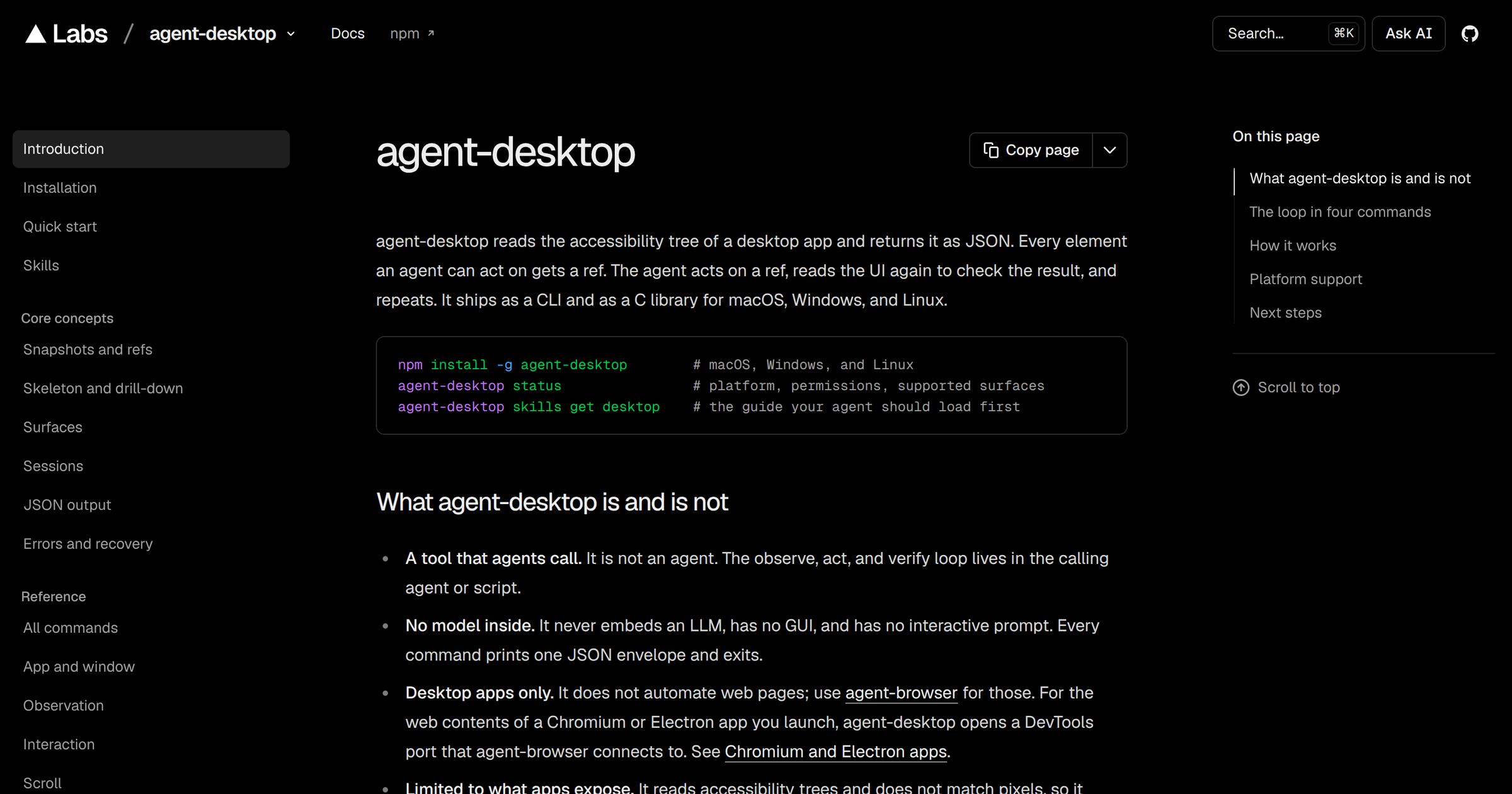
Reads the real UI structure every major OS exposes rather than matching pixels. On macOS it uses the AX API, on Windows UI Automation, and on Linux AT-SPI. Every interactive element gets a ref, and the tree returns as JSON. An agent maps the full app, drills into the region it needs, and works from a stable structural view instead of coordinates.
Every element an agent can act on gets a ref that carries the ID of the snapshot that produced it. Acting on a stale ref returns `STALE_REF` instead of silently targeting the wrong element. Refs stay valid while the UI is unchanged; take a new snapshot after a change and use the new refs. This makes retry logic safe and deterministic.
Every command prints one JSON envelope with an `ok` field and either `data` or `error`. The 56 operational commands cover observation (snapshot, find, get, screenshot), ref-based actions (click, type, set-value, scroll), app and window management, clipboard, notifications, and sessions. Error codes carry a `disposition.retry` flag so agent loops know when a retry is safe.
Each release ships `libagent_desktop_ffi` for macOS, Linux, and Windows. A program can call the tool in-process through the C FFI instead of spawning the CLI for each command, reducing per-call overhead. Bindings are available through ctypes in Python and any language that can call a C shared library.
Ships native Rust binaries for x64 and ARM64 on all three platforms, with the same 60 command names on every OS. macOS requires Accessibility permission (guided via `agent-desktop permissions --guide`). Windows requires no grant for apps at the terminal's integrity level. Linux requires Ubuntu 24.04 or later with a running AT-SPI bus.
Features
- OS accessibility tree observation
- Stable ref-based actions
- 60-command CLI with JSON output
- C library for in-process calls
- Cross-platform: macOS, Windows, and Linux
How to install
Install the CLI with npm on macOS, Windows, or Linux.
npm install -g agent-desktop
agent-desktop version
Recommended for this setup
Strengths
- Apache-2.0 license with no usage restrictions: Apache-2.0 means you can run it in any commercial product, modify it, and distribute it without restriction. Unlike commercial computer-use APIs that bill per action or require a paid subscription, the CLI and library cost nothing beyond the machine you run them on.
- Accessibility trees beat pixels for reliability: Refs stay stable while the UI does not change, and a changed UI returns a clear error code rather than silently targeting a moved element. The repo description states that refs stay stable and actions stay safe to retry, which is the structural property pixel matching cannot provide.
- No embedded model or cloud dependency: Agent Desktop has no embedded LLM and no cloud connection. The observe-act-verify loop stays in the calling agent. This works with any model or framework, and no data leaves the machine unless the calling agent sends it somewhere. The optional JEV helper that sends screen descriptions to a model provider is a separate component.
- Version-matched skill docs shipped inside the binary: The binary ships its own documentation that agents read before using it: `agent-desktop skills get desktop` returns the loop, ref, and verification rules; `agent-desktop skills get platform` returns the OS-specific capability table. Docs are versioned with the binary, so an agent always reads the correct documentation for the version it is running.
Trade-offs
- Cannot see apps that publish no accessibility tree: Agent Desktop reads accessibility trees and does not match pixels, so it cannot observe a UI that publishes no accessibility tree. Custom-painted canvases, some game engines, and fully hardware-rendered UIs expose nothing through the AX API, UI Automation, or AT-SPI. The README states this limitation explicitly. For those UIs, a pixel-based approach is the only option.
- Linux requires a graphical session with AT-SPI: On Linux, Agent Desktop requires Ubuntu 24.04 or later with glibc 2.35, a running graphical session, and an active AT-SPI bus. Headless Linux servers without AT-SPI cannot use the tool. Some Linux apps use non-standard toolkits that expose limited or no AT-SPI nodes, reducing what the agent can observe and act on.
- macOS headless calls restrict foreground activation and input: On macOS, headless calls prohibit foreground activation and synthesized input. The CLI runs a private command host that retains native accessibility objects, but `TMPDIR` must be owned by the current user with mode `0700`. The `--headed` global flag enables physical input when the automated path is insufficient, but that removes the headless guarantee.
Tech stack
FAQ
All three platforms are supported. macOS requires Accessibility permission (guided via `agent-desktop permissions --guide`), Windows requires no grant for apps at the terminal's integrity level, and Linux requires Ubuntu 24.04 or later with a running AT-SPI bus. The same 60 command names are available on every platform; platform-specific behavior is documented by running `agent-desktop skills get platform`.
Agent Desktop reads the OS accessibility tree (AX API on macOS, UI Automation on Windows, AT-SPI on Linux) rather than taking screenshots and matching coordinates. Elements get stable refs that carry error codes when the UI changes, making retry logic deterministic. Pixel-based approaches cannot provide that structural guarantee; the tradeoff is that Agent Desktop cannot observe UIs that expose no accessibility tree.
No. Agent Desktop has no embedded model, no cloud connection, and no interactive prompt. It is a tool that agents call; the observe-act-verify loop lives in the calling agent or script. This means it works with any model provider and does not send data outside the machine unless the calling agent does so separately.
Install the CLI with `npm install -g agent-desktop` on macOS, Windows, or Linux. Bun, Yarn, and pnpm can install the same package. The package includes native Rust binaries for x64 and ARM64. For direct execution without a JavaScript launcher, download the native archive from GitHub Releases at https://github.com/vercel-labs/agent-desktop/releases.
Apache-2.0. You can run it commercially, modify it, and distribute it without restriction, as long as you include the license notice. There is no commercial license required and no usage-based billing.