
Agent Cache Web
Convert docs URLs into Markdown bundles for AI coding agents
Replaces Context7
Who it's for
Developers building LLM-powered coding assistants or code-generation workflows need documentation for the libraries and APIs the agent writes against. Agent Cache bundles any docs site into local Markdown files the agent can load at runtime, without writing a custom scraper or maintaining a documentation mirror.
The documentation you need is already available as a pre-built llms.txt or direct Markdown download from the source. In that case, extraction adds no value and you can point the agent at the source file directly.
Teams building internal developer platforms or IDEs with embedded documentation features can use Agent Cache's JSON API to programmatically create and retrieve documentation bundles. The /api/jobs endpoint and the published OpenAPI specification support scripted integration into CI pipelines and documentation sync workflows.
The documentation you need is behind authentication or on sites that block automated requests. Agent Cache's extraction is best effort and does not handle authenticated sessions.
Developers evaluating how to provide accurate context to LLMs for coding tasks can self-host Agent Cache to inspect and modify the full extraction pipeline. The MIT license permits forks and modifications. The cockpit dashboard provides visibility into extraction success rates and strategy choices per job.
You need a managed service with support guarantees or an SLA. Agent Cache is a self-hosted tool with no hosted tier and no stated support policy.
The problem
AI coding agents need accurate documentation to write correct code for the libraries and APIs they use. The pain is that documentation lives on the web: paginated across dozens of pages, often rendered by JavaScript, and updated without notice. Handing an agent a docs URL is not useful; the agent needs the content as a set of readable files. Fetching and converting documentation pages manually is slow and the result is stale within days. Commercial context services charge per call or per token to convert web pages for AI context, which adds up quickly for teams running many agents against varied documentation sources. Teams without a commercial contract patch together scrapers and ad-hoc scripts that break when sites update their navigation or move to JavaScript rendering.
How it works
Agent Cache starts each extraction by probing the submitted URL for llms.txt, llms-full.txt, raw Markdown endpoints, GitHub source links, and sitemaps. It reads platform-specific navigation data where supported, then falls back to parsing HTML navigation and links. The discovered page count reflects pages found in the navigation tree, not a fixed catalog.
When a docs site provides Markdown at source, Agent Cache uses it. Otherwise it fetches HTML, strips navigation bars, headers, and footers, and converts the main content to Markdown. Code blocks and links are preserved where the source exposes them. Each converted page includes its title, source URL, and section in front matter.
Completed extractions produce a ZIP with a numbered folder structure that matches the source site's navigation hierarchy. The bundle includes INDEX.md, _map.json, meta.yaml, and numbered section folders with page files. Section and page names are stable across re-extractions of the same source, making them safe to reference from agent configuration files.
Each extraction job streams phase, log, and page-progress events via Server-Sent Events at /dingdong/{job-id}/stream. Events are saved to object storage so recorded output can be replayed after the original request ends. A raw text log is available at /dingdong/{job-id}/raw-log. If a job fails, the UI shows a readable explanation with technical error details.
The password-gated /cockpit dashboard shows total crawl jobs, pipeline success rates, cached archive volumes, feedback submissions, and live visitor metrics. A separate analytics view provides real-time visitor tracking with client-type detection for human visitors, AI agents, and bots. The jobs view lists paginated crawl records with strategies, page counts, and ZIP sizes.
Agent Cache exposes JSON endpoints for creating jobs, listing completed jobs, reading job status, retrieving navigation trees, and probing URLs. The full API contract is published at /openapi.json. A POST to /api/jobs with a URL body starts an extraction and returns links to the job status, event stream, tree, and ZIP download.
Features
- URL probe and page discovery
- Multi-strategy Markdown conversion
- Structured ZIP bundle output
- Live extraction streaming and job logs
- Admin cockpit dashboard
- JSON API with OpenAPI specification
How to install
Self-hosting starts by cloning the repository and installing dependencies; configure Cloudflare R2 credentials and a Tavily API key in .env before starting the server.
git clone https://github.com/osspakistan/agent-cache-web
bun install
bun run start
Recommended for this setup
Strengths
- MIT licensed with full self-hosting: The MIT license allows running Agent Cache on your own infrastructure for any purpose, including internal team and commercial use, with no per-call fees. Bundles are stored in your own Cloudflare R2 bucket and your own database, not on a third-party server. The pipeline is open for modification and redistribution.
- Handles modern documentation signals natively: The extraction engine checks for llms.txt and llms-full.txt before falling back to HTML conversion. Documentation sites that have already prepared machine-readable formats get fast, accurate extraction. When a GitHub edit link is present on a page, Agent Cache fetches the raw Markdown directly instead of converting HTML.
- Public docs library with bundle reuse: Every completed extraction is visible in the public docs library at /docs, grouped by source domain with the newest version shown first. Teams can share bundle links without setting up a separate file server. The library surfaces previously completed extractions so repeated requests for the same docs domain can reuse existing bundles.
Trade-offs
- Cloudflare R2 is a hard dependency: Agent Cache stores job logs, Markdown files, and ZIP archives in a Cloudflare R2 bucket. There is no local-filesystem-only mode. You need a Cloudflare account, an R2 bucket, and an access key and secret before the server can complete any extraction job. Self-hosters who want to avoid external vendor dependencies have no alternative storage backend.
- Extraction is best effort on blocked sites: The README states that a site that blocks requests or hides its navigation from plain HTTP can produce an incomplete bundle or fail before crawling starts. Agent Cache does not run a headless browser, so JavaScript-rendered navigation is not accessible. The page count shown for a job is discovered pages, not a guarantee that every page has full content.
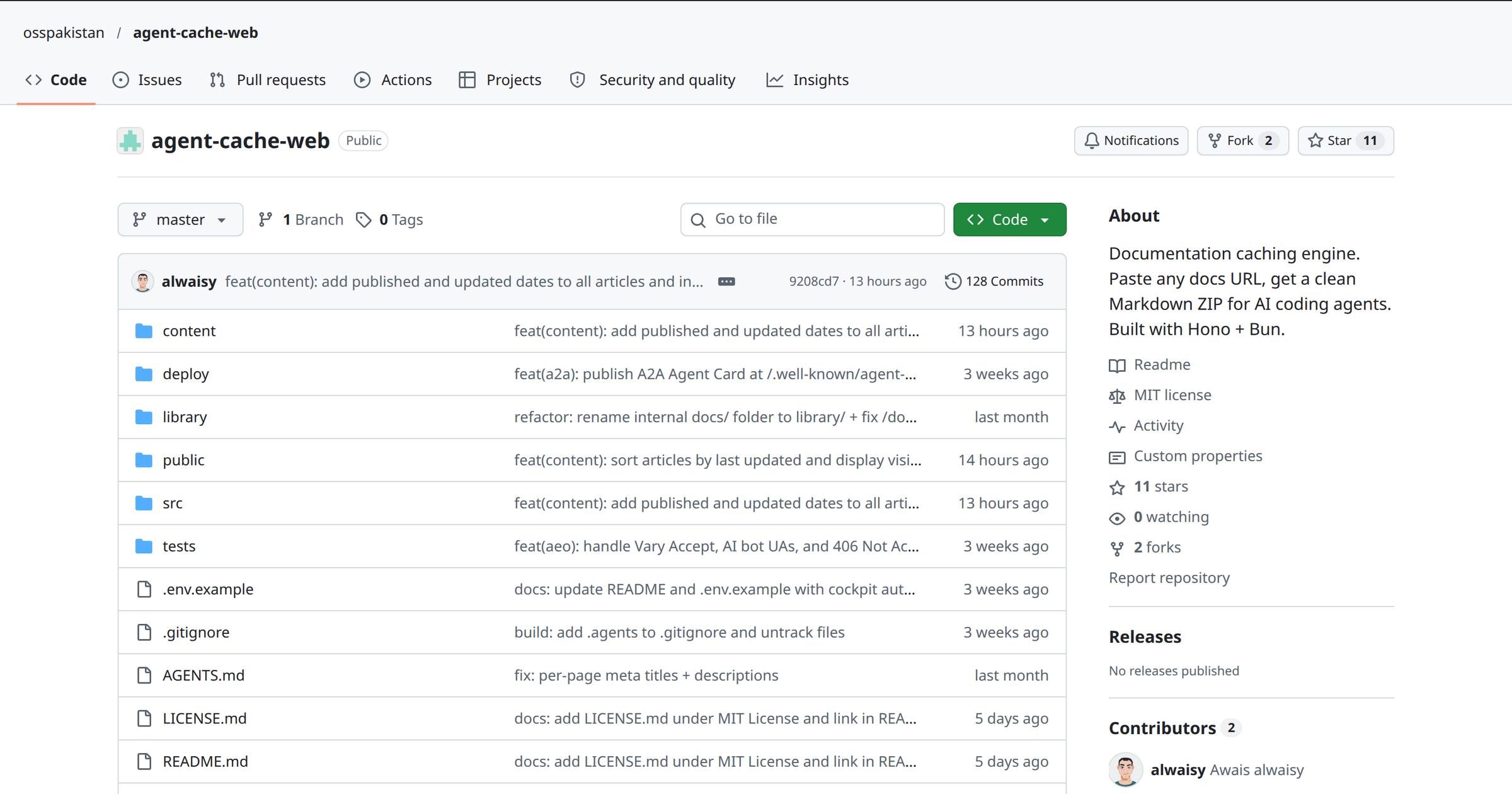
- Very early project with limited community: Agent Cache was created in September 2026 and has 11 stars and 2 forks as of October 2026. The architecture documents note that design decisions in the reference files may differ from the current implementation. Teams adopting it for production workflows should expect configuration and API changes with no stated stability policy.
Tech stack
FAQ
Yes. Agent Cache is MIT licensed and built for self-hosting. You need Bun, a Cloudflare R2 bucket for artifact storage, and a SQLite database (or Turso for a remote database). Configure the required environment variables in .env and run `bun run start`. Docker and Caddy configuration files are provided in the `deploy/` directory.
Cloudflare R2 is required for storing logs, Markdown files, and ZIP archives. A Tavily API key is needed for the docs resolver. OpenRouter is optional; without it, bundle metadata uses a local fallback based on product name and page titles. Set ADMIN_PASSWORD to secure the /cockpit dashboard.
Agent Cache requests HTML directly and does not run a headless browser. Sites that expose content in plain HTTP responses, provide llms.txt, or link to Markdown sources on GitHub extract well. Sites that require JavaScript execution to render their navigation may produce incomplete bundles or fail before crawling starts.
The crawler records a note in that page's Markdown file and continues with the remaining pages. The discovered page count for a job is not a guarantee that every page has full content. The job record retains its status, selected strategy, page count, ZIP size, and timestamps for later review.
Completed extraction jobs are listed in the public docs library at /docs, grouped by source domain. If your deployment is publicly accessible, any user can browse completed bundles. For private documentation workflows, restrict the /docs and /cockpit routes at the infrastructure level before exposing the server.